How to Make a Digital Advent Calendar (Free, in 10 Minutes)
You don't need matchboxes, glue, or tiny gifts to make an advent calendar this year. A digital advent calendar lives on the recipient's phone, opens one door a day through December, and can hold things a paper calendar never could: photos, videos, and messages written just for them.
Here's the fastest way to make one — free, on your iPhone, iPad, or Mac, with no account or design skills required.

What you need
- An iPhone, iPad, or Mac (the recipient can use any of these too)
- The free Advent Maker app — no sign-up
- As little as 10 minutes, plus your photos and ideas
Step 1 — Create a new calendar
Open Advent Maker and tap New calendar. Give it a title — "Advent Calendar 2026", "Our Happy Year", or the recipient's name — and you'll get a calendar with 24 doors, one for each day from December 1st to Christmas Eve.
Step 2 — Fill the 24 doors
Tap any door to edit it. Each door can hold:
- A photo — from your library, with an optional caption
- Text — a message, a memory, a joke, a compliment
- A video — including embedded YouTube videos
- A snowman — a playful interactive surprise
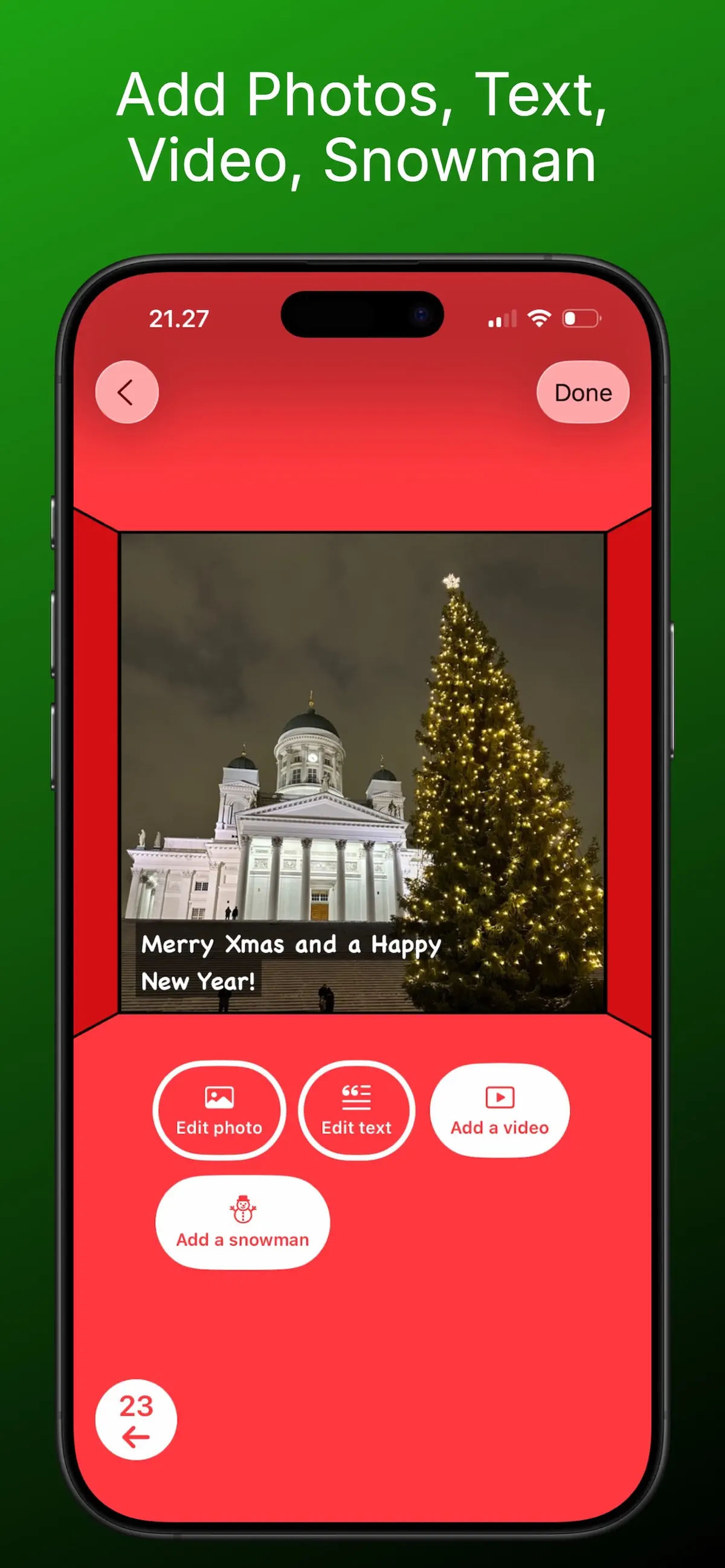
You can mix content on one door — a photo plus a caption is the classic combination. Not sure what to put behind each door? Steal from our list of 24+ door ideas.
Step 3 — Share your calendar
When you're done, tap Share calendar. Advent Maker packs everything into a single calendar file that you can send by AirDrop, WhatsApp, Telegram, or email. The recipient installs the free app, opens your file, and your calendar appears on their "Received calendars" shelf.
Nobody needs an account — not you, not them. Nothing is uploaded to a server, which also makes this one of the most private ways to share family photos in December.
Step 4 — They open one door a day
From December 1st, one door unlocks each day. The app counts down the days to Christmas, and future doors stay locked — no peeking. That daily ritual is what makes an advent calendar feel different from just sending someone a photo album.
Why digital instead of a bought or paper calendar?
- Personal: your photos and words beat factory chocolate
- Free: no materials, printing, or shipping costs
- Instant delivery: reach family abroad or a long-distance partner in seconds — see the long-distance guide
- Reusable: make several calendars for different people from the same app